Free upgrade of browser homepage
Revolutionize your browsing experience with our fully customizable, ad-free homepage. Access your favorite websites in one click, personalize themes, and boost productivity — 100% free for all devices!
Upgrade Now
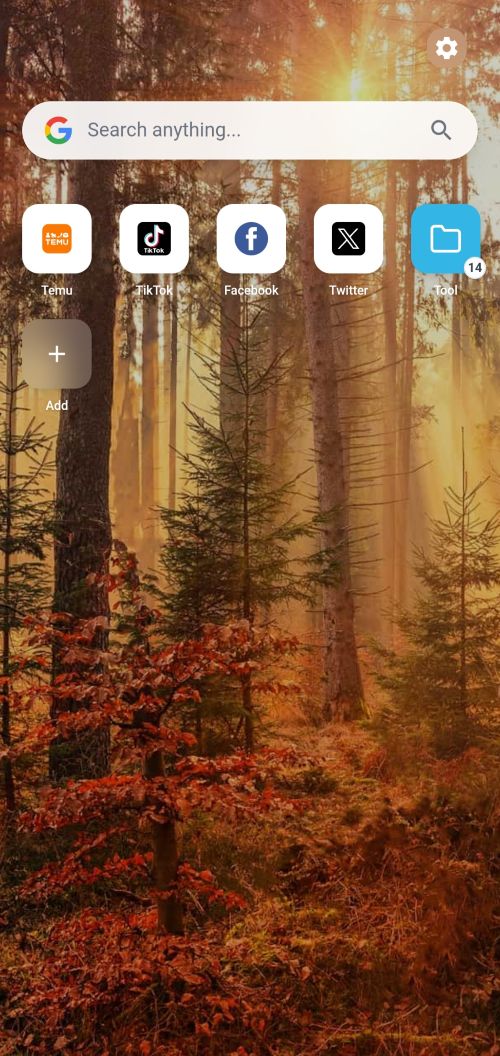
Mobile Optimized Experience
Perfectly fits your phone screen with one-hand navigation, fast loading, and mobile-exclusive shortcuts.
Google Chrome
1. Open the Chrome app
2. Tap the Chrome Menu icon Chrome Settings Icon in the upper right corner and then Settings.
3. Scroll down and under "Advanced", tap Homepage.
4. Paste your homepage URL
Safari
1. Open Safari and navigate to the website you want to save .
2. Tap the Share button (the square with an arrow pointing up) at the bottom.
3. Scroll down the share sheet and select Add to Home Screen.
4. Give it a name and tap Add; the icon will appear on your Home Screen.
Add Website Shortcut
1、Quick steps to add your favorite websites
2、Click the "+ Add" button in the shortcuts area
Name - e.g., "Google Search"
URL - https://google.com
3、Select from preset colors or use custom color picker
4、Click "Save" to create your shortcut
Manage Folders & Shortcuts
1、Have at least 2 movable shortcuts
2、Long-press (mobile) or right-click (PC) a shortcut
3、Drag it onto another shortcut
4、Enter folder name and click "Create"
Ready to Upgrade Your Browsing?
Get your free custom browser homepage today — no credit card required, no ads, no hidden fees. Personalize your online experience in 2 minutes or less!
Get Your Free Browser Homepage Now